
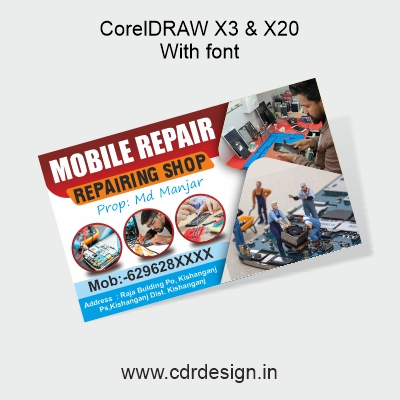
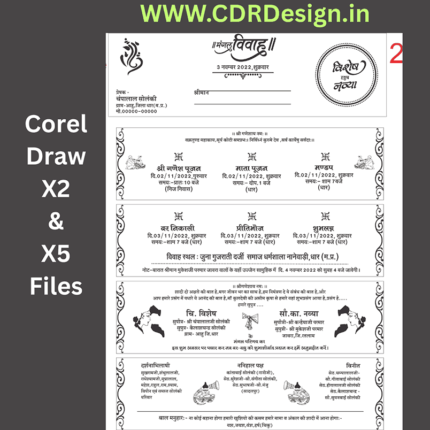
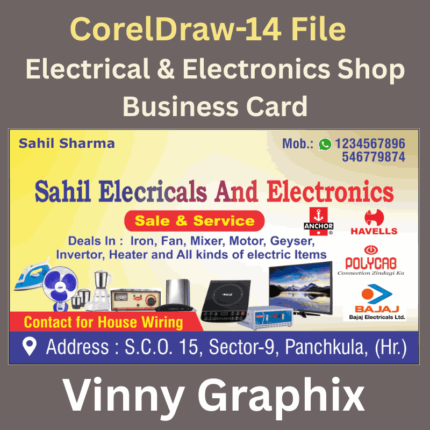
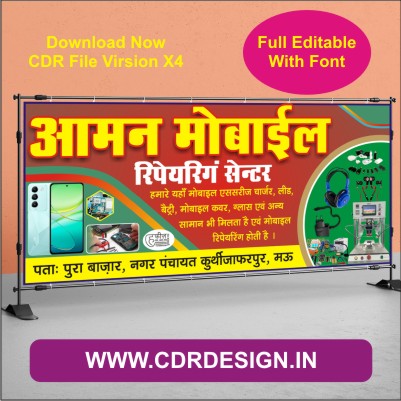
MOBILE REPAIR BANNER Design Latest CDR File
Original price was: ₹199.00.₹15.00Current price is: ₹15.00.
CorelDraw x3 & 2020
With Font
Full Editable
Corelraw Software
ये डिजाईन प्रिंटिंग प्रेस वालों के लिए है अगर आपको एडिट करना आता है तभी खरीदें
-
खरीदने से पहले अच्छे से चेक कर लें कौन सी फाइल है, कौन सा वेर्जन है फॉण्ट दिया गया है की नही
- Note: this design is only for the designers not
- for customers. Customization start from Rs.200
- How to Download:
- https://www.youtube.com/
- Instant Download:
- Your files will be available
- to download once payment is confirmed.
- (instant download items don’t accept returns,
- exchanges, or refunds. Please check all details
- before buying.)
-
- Help Number: call or WhatsApp
- Call us: 6296285862 (9 AM to 6 PM)
- CdrDesign License: Use for personal and
- commercial purposes more info
- Copyright Disclaimer:
- This File is uploaded by
- the user. We do not claim any copyright for
- the content. ( If the contents violate your
- copyright, please email us,
- cdrdesign8@gmail.com
Mobile Repair Banner with the Latest CDR Files
In today’s hyper-connected world, a smartphone is more than just a device; it’s an indispensable part of our lives. And when it breaks, people need a reliable, efficient, and visible repair solution. For mobile repair businesses, standing out in a crowded market is crucial, and one of the most effective, classic tools for visibility remains a well-designed banner.
Thank you for reading this post, don't forget to subscribe!But it’s not just any banner. A visually appealing, informative, and professionally crafted banner acts as a silent salesperson, drawing in potential customers and building trust even before they step through your door. And in the digital age, having access to the “Latest CDR File” for your banner design can be a game-changer.
The Power of a Perfectly Designed Banner
Imagine walking down a busy street. What catches your eye? Often, it’s a bold, clear, and attractive sign. For a mobile repair shop, a well-designed banner achieves several critical objectives:
- Instant Visibility: It grabs attention from passersby, even those who weren’t actively looking for a repair shop.
- Clear Communication: It quickly conveys what you do (mobile repair), often listing common services like screen replacement, battery repair, or water damage.
- Professionalism & Trust: A high-quality banner signals a reputable and trustworthy business, contrasting sharply with makeshift or poorly designed signs.
- Brand Reinforcement: It establishes your brand identity, making your shop memorable and distinct.
- Competitive Edge: In areas with multiple repair shops, superior signage can be the deciding factor for a potential customer.
What Makes an Effective Mobile Repair Banner?
To maximize impact, your banner should incorporate several key elements:
- Clarity and Readability: Use large, clear fonts that are easy to read from a distance. Avoid overly complex or “fancy” typefaces.
- Key Information: Prominently display your business name, a concise list of core services (e.g., “Screen Repair,” “Battery Replacement,” “Water Damage,” “Software Fixes”), your contact number, and perhaps your website or social media handle.
- Compelling Visuals: Incorporate relevant, high-quality graphics. Icons for common issues (a cracked screen, a battery icon, a water drop) are universally understood. A clean, modern aesthetic appeals to tech-savvy customers.
- Brand Colors & Logo: Integrate your business’s existing color scheme and logo to maintain consistency and reinforce your brand.
- Call to Action (Optional but Recommended): A simple “Visit Us Today!” or “Call Now!” can prompt immediate action.
- Professionalism: Ensure the design is clean, uncluttered, and free of typos or grammatical errors.
The Advantage of the “Latest CDR File”
This is where modern design resources come into play. A “CDR File” refers to a file created in CorelDRAW, a professional vector graphics editor. When you have access to a “Latest CDR File” for your mobile repair banner design, you benefit immensely:
- Editability & Customization: Unlike static image files (like JPEGs), CDR files are fully editable. You can easily change text, colors, rearrange elements, insert your specific logo, and add custom offers without losing quality.
- Scalability Without Pixelation: As vector graphics, designs in CDR files can be scaled to any size – from a small counter display to a massive outdoor billboard – without becoming blurry or pixelated. This ensures your banner always looks sharp and professional, regardless of its dimensions.
- Professional Templates: “Latest CDR Files” often come as professionally designed templates. This means you don’t have to start from scratch. These templates are crafted by experienced designers, ensuring good composition, color balance, and effective visual hierarchy.
- Time and Cost Efficiency: Using a pre-designed yet customizable CDR file saves you significant time and potentially the cost of hiring a designer for a completely bespoke design. You can quickly adapt a template to your needs and send it directly to a print shop.
- Modern Aesthetics: The term “Latest CDR File” implies that these designs are current, incorporating modern design trends, color palettes, and layouts that resonate with today’s consumers. Your banner won’t look dated; it will look fresh and relevant.
Customizing Your Mobile Repair Banner with a CDR File
Once you have a suitable CDR file, the customization process is straightforward:
- Open in CorelDRAW: Load the file into CorelDRAW (or a compatible vector editing software).
- Insert Your Business Name & Logo: Replace placeholder text with your shop’s name and import your logo, positioning it prominently.
- Detail Your Services: Adjust the service list to reflect what your shop specializes in.
- Update Contact Information: Ensure your phone number, address, and any online presence details are accurate.
- Add Special Offers: If you have current promotions (e.g., “10% off Screen Repairs This Month!”), you can easily add them.
- Choose Your Dimensions: Resize the design to the exact specifications required by your printer.
- Export for Print: Save the file in a print-ready format (like PDF, EPS, or directly as a CorelDRAW file, as instructed by your printing service).
In conclusion, for any mobile repair business aiming to boost its visibility and attract more customers, investing in a high-quality, professionally designed banner is paramount. By leveraging the power and flexibility of a “Latest CDR File,” you can ensure your banner is not only eye-catching and informative but also easily customizable to perfectly represent your brand and stand out in the competitive mobile repair landscape. It’s more than just a sign; it’s a statement about the quality and professionalism of your service.
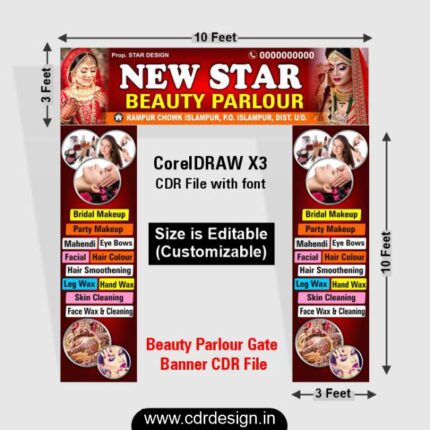
Reviews
There are no reviews yet.