
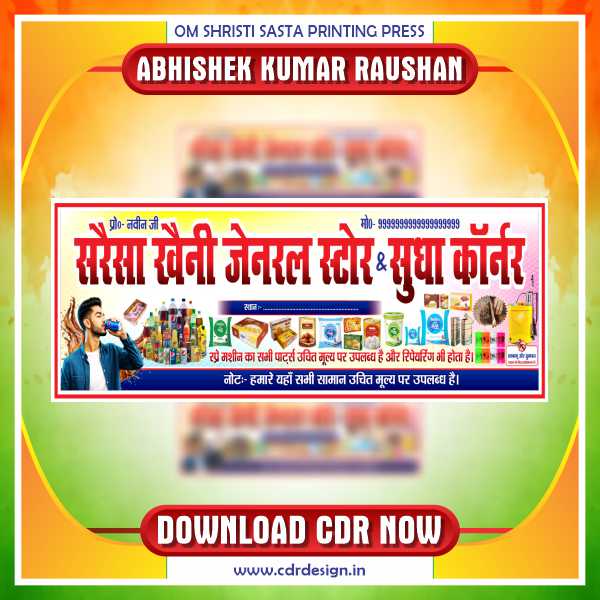
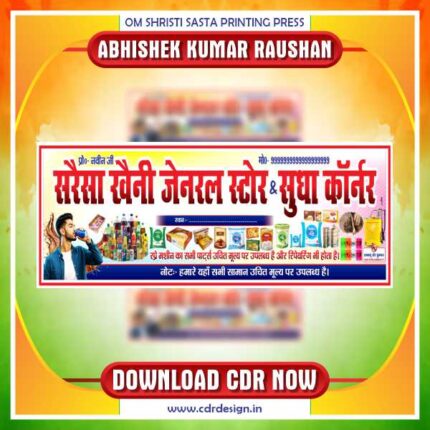
Latest & Best Genral Store & Sudha Corner Banner CDR Design
Original price was: ₹149.00.₹29.00Current price is: ₹29.00.
🗂 Product Details
File Name: Latest & Best Genral Store & Sudha Corner Banner CDR Design
Corel Draw: Yes
Version: 15 to All
Fully Editable: Yes
Font: Yes
ये डिजाईन प्रिंटिंग प्रेस वालों के लिए है अगर आपको एडिट करना आता है तभी खरीदें
-
खरीदने से पहले अच्छे से चेक कर लें कौन सी फाइल है, कौन सा वेर्जन है फॉण्ट दिया गया है की नही
- Note: this design is only for the designers not
- for customers. Customization start from Rs.200
- How to Download:
- https://www.youtube.com/
- Instant Download:
- Your files will be available
- to download once payment is confirmed.
- (instant download items don’t accept returns,
- exchanges, or refunds. Please check all details
- before buying.)
-
- Help Number: call or WhatsApp
- Call us: 6296285862 (9 AM to 6 PM)
- CdrDesign License: Use for personal and
- commercial purposes more info
- Copyright Disclaimer:
- This File is uploaded by
- the user. We do not claim any copyright for
- the content. ( If the contents violate your
- copyright, please email us,
- cdrdesign8@gmail.com
Latest & Best General Store & Sudha Corner Banner CDR Design Guide
Thank you for reading this post, don't forget to subscribe!In the competitive retail world, first impressions matter. For small businesses like general stores or niche outlets like Sudha Corner, a well-designed banner can make all the difference. Whether you’re launching a new shop, rebranding, or just looking to attract more foot traffic, a professionally crafted banner in CorelDraw (CDR format) is your secret weapon.
In this blog post, we’ll explore the latest trends and essential elements of the best general store & Sudha Corner banner CDR design, along with tips to create a standout visual identity that resonates with your audience.
Why CDR Designs Are a Game-Changer for Store Banners
CorelDraw (CDR) is a vector-based design software beloved by professionals for its precision and scalability. Here’s why it’s ideal for store banners:
- Editable & Customizable: Modify text, colors, and graphics easily without losing quality.
- High-Quality Output: Perfect for large-format printing (A3, A2, or hoardings).
- Layered Structure: Work with individual design elements independently.
- Cost-Effective: Save time and effort by using pre-designed templates.
Key Elements of a Winning Store Banner Design
1. Layout & Structure
A clean, symmetrical layout is crucial for small business banners. Start with a high-contrast background (e.g., white or cream for general stores) to ensure readability. Use a central focal point—your store name or logo—and add subtle decorative elements (like flourishes or local motifs) to reflect your brand identity.
Pro Tip: For Sudha Corner or similar retail outlets, incorporate a local flavor (e.g., traditional patterns or cultural symbols) to connect with your community.
2. Color Palette
Choose colors that align with your brand and evoke the right emotions:
- Warm tones (red, orange, yellow) for energy and warmth.
- Calm tones (blue, green) for trust and freshness.
- Stick to 3-4 shades max to avoid clutter.
3. Typography
Fonts say a lot about your brand. For general stores, opt for bold, sans-serif fonts (like Arial Black or Montserrat) for store names. Use simpler fonts for subheadings and contact info. For Sudha Corner, consider a handwritten or script font to add a personal touch.
Example:
- Store Name: “SUDHA CORNER” in bold, large font.
- Subtitle: “Your One-Stop General Store!” in a complementary font.
4. Visuals & Graphics
Add minimalistic yet impactful graphics:
- A flat icon of a basket or shelves for general stores.
- A small image of a smiling customer or a local product for Sudha Corner.
- Avoid overloading the design; focus on clear communication.



Reviews
There are no reviews yet.