


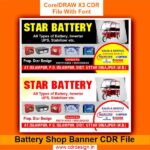

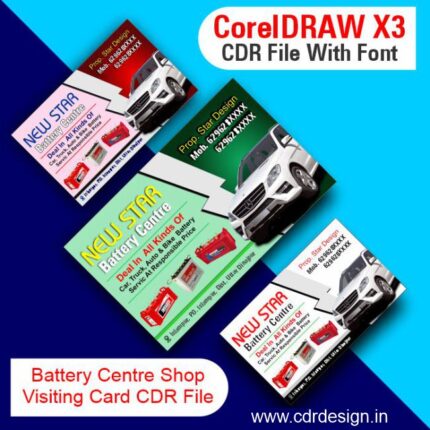
Battery Shop Banner CDR File
Original price was: ₹99.00.₹45.00Current price is: ₹45.00.
Battery Shop Banner CDR File
CorelDRAW 13Version File
With Font
CDR Version 13 with Font Fully Editable
Color:- CMYK
Siz:- 04 MB
ये डिजाईन प्रिंटिंग प्रेस वालों के लिए है अगर आपको एडिट करना आता है तभी खरीदें
-
खरीदने से पहले अच्छे से चेक कर लें कौन सी फाइल है, कौन सा वेर्जन है फॉण्ट दिया गया है की नही
- Note: this design is only for the designers not
- for customers. Customization start from Rs.200
- How to Download:
- https://www.youtube.com/
- Instant Download:
- Your files will be available
- to download once payment is confirmed.
- (instant download items don’t accept returns,
- exchanges, or refunds. Please check all details
- before buying.)
-
- Help Number: call or WhatsApp
- Call us: 6296285862 (9 AM to 6 PM)
- CdrDesign License: Use for personal and
- commercial purposes more info
- Copyright Disclaimer:
- This File is uploaded by
- the user. We do not claim any copyright for
- the content. ( If the contents violate your
- copyright, please email us,
- cdrdesign8@gmail.com
Battery Shop Banner CDR File
Thank you for reading this post, don't forget to subscribe!banner,amaron battery shop banner,electronic shop banner design,banner design,electronic shop banner,banner kaise banaye,photoshop me flex banner design,amaron solar battery flex banner design in coreldraw,solar pannel shop banner,electronic shop banner kaise banaye,electronic shop ka banner kaise banaye,mobile shop banner template,photoshop me banner kaise banaye,auto parts banner design,mobile shop banner hd,shop banner,solar shop banner cdr file
“Battery Shop Banner CDR File.” This assumes we’re talking about a digital template for a banner that a battery shop might use for advertising. Here’s an article built around that concept:
Headline: Power Up Your Business with a Killer Battery Shop Banner Design
Introduction:
In the fast-paced world of retail, grabbing attention is paramount. For battery shops, both brick-and-mortar and online, a visually compelling banner can be the difference between browsing and buying. A professionally designed banner communicates trust, highlights key services, and ultimately, drives sales. This is where a quality Battery Shop Banner CDR File comes into play, offering a customizable and cost-effective solution for creating impactful advertising.
Why a CDR File Matters:
The term “CDR File” refers to a file created using CorelDRAW, a popular vector graphics editor. Using a CDR file as a starting point for your banner design provides several crucial advantages:
- Scalability: Vector graphics, unlike raster images (like JPEGs or PNGs), can be scaled infinitely without losing quality. This means your banner will look crisp and clear whether it’s printed small for a website ad or blown up for a large outdoor display.
- Customization: A CDR file allows for complete customization. You can easily:
- Change the colors to match your brand identity.
- Edit the text to highlight specific services or promotions.
- Add your company logo and contact information.
- Resize and rearrange elements to fit your specific needs.
- Professional Look: A well-designed CDR template often incorporates professional design principles like balanced layouts, effective typography, and eye-catching visuals. This helps you create a banner that looks polished and credible.
- Cost-Effectiveness: Hiring a graphic designer to create a banner from scratch can be expensive. A CDR file provides a pre-designed framework, saving you time and money while still allowing for personalization.
Essential Elements of a Successful Battery Shop Banner:
Whether you’re using a pre-made CDR file or designing from the ground up, consider incorporating these key elements:
- Clear and Concise Messaging: Focus on the core benefit – providing reliable power solutions. Use phrases like “Car Batteries,” “Long-Lasting Power,” “Expert Installation,” or “Best Battery Brands.”
- High-Quality Images: Use professional-looking images of batteries, vehicles, or other relevant visuals. Avoid blurry or low-resolution images. Showcasing a happy customer can also be effective.
- Strong Call to Action: Tell customers what you want them to do. Use phrases like “Visit Our Store,” “Call for a Quote,” “Shop Online Now,” or “Get a Free Battery Test.”
- Contact Information: Clearly display your phone number, website address, and physical address (if applicable).
- Brand Consistency: Maintain a consistent brand identity by using your logo, brand colors, and fonts.
- Promotional Offers If you are promoting a discount or special offer be sure to make it eye-catching.
Finding and Using a Battery Shop Banner CDR File:
- Online Marketplaces: Websites like Etsy, Creative Market, and Envato Elements offer a wide selection of CDR file templates for various businesses, including battery shops. Search for terms like “Battery Shop Banner CDR,” “Automotive Battery Banner,” or “Power Solutions Banner.”
- Graphic Design Websites: Some graphic design websites offer free or paid CDR templates.
- Local Print Shops: Your local print shop might have in-house designers who can either create a custom banner or modify an existing CDR file.
- Software Tutorials: Many websites and YouTube channels offer tutorials on how to use CorelDRAW to customize CDR files.
Tips for Customization:
- Start with a Template that Resonates: Choose a CDR file that aligns with your brand aesthetic and the message you want to convey.
- Don’t Be Afraid to Experiment: Try different fonts, colors, and layouts to see what works best.
- Keep it Simple: Avoid overcrowding the banner with too much information. Focus on the essentials.
- Get Feedback: Before finalizing your design, ask for feedback from colleagues or customers.
- Ensure Print Readiness: Double-check the file resolution, color mode (CMYK for print), and bleed settings before sending it to the printer.
Conclusion:
A well-designed banner is a powerful tool for attracting customers to your battery shop. By leveraging a Battery Shop Banner CDR File, you can quickly and affordably create a professional-looking advertisement that drives traffic, boosts sales, and helps your business thrive. Take the time to choose a template that fits your brand, customize it effectively, and watch your business power up!





Reviews
There are no reviews yet.