



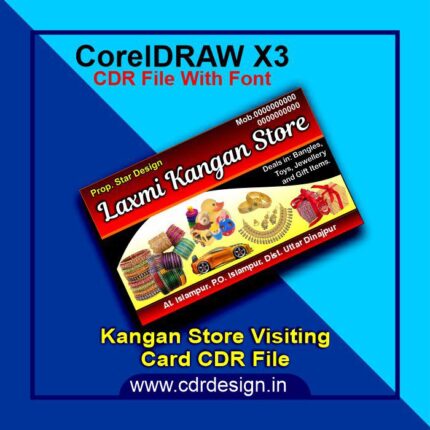
Jewllery Shop Visiting Card CDR File
₹23.00
Corel Drow – 13 (CDR File)
Colour= CMYK
Font= Yes
CDR- 13 & PDF
- Note: this design is only for the designers not
- for customers. Customization start from Rs.100
- How to Download:
- https://www.youtube.com/
- Instant Download:
- Your files will be available
- to download once payment is confirmed.
- (instant download items don’t accept returns,
- exchanges, or refunds. Please check all details
- before buying.)
-
- Help Number: call or WhatsApp
- Call us: 6296285862 (9 AM to 6 PM)
- CdrDesign License: Use for personal and
- commercial purposes more info
- Copyright Disclaimer:
- This File is uploaded by
- the user. We do not claim any copyright for
- the content. ( If the contents violate your
- copyright, please email us,
- cdrdesign8@gmail.com
Elevate Your Brand with a Custom Jewellery Shop Visiting Card CDR File – A Step-by-Step Guide
Thank you for reading this post, don't forget to subscribe!Introduction
In the competitive world of jewellery, first impressions matter. While your craftsmanship and designs speak volumes, a well-crafted business card can amplify your brand’s presence and leave a lasting impact. For jewellery shop owners, a visiting card CDR file—a design template in CorelDRAW’s vector format—offers the perfect tool to create professional, eye-catching cards that reflect your brand’s identity. This blog post will guide you through leveraging a CDR file to design a business card that stands out in the glittering world of jewellery.
What is a Visiting Card CDR File?
A CDR (CorelDRAW) file is a vector graphics format designed for scalable, editable designs. A visiting card CDR file is a pre-made template crafted in CorelDRAW, allowing you to customize every detail—from logos and fonts to layout and color schemes. Unlike static image files (e.g., JPEG or PNG), CDR files remain resolution-independent, ensuring crisp prints, whether you’re showcasing delicate diamond motifs or bold, minimalist designs.










Reviews
There are no reviews yet.